ReM
Turn your ordinary IR appliances into smart devices and bring the power of convenience to your home with ReM!
ReM is a low-cost, ESP32 powered, real-time control system that allows you to remotely control your IR appliances. It also supports multiple users and even exposes an API you can use to extend its functionality!
Why does ReM exist?
One time, I woke up at 3 a.m. because it was too hot. I wanted to turn my fan on using the remote control that came with it. It wouldn’t work. I had to get out of bed and turn it on. I know, the horror.
The remote wouldn’t work because it’s not powerful enough to communicate with the fan if the latter isn’t in a line of sight. This means that if you are far enough from the fan and it’s not pointing towards you, the remote is effectively useless. It’s 3.3V battery also does not help.
The solution was ReM. ReM is short for remote.
How does it work?
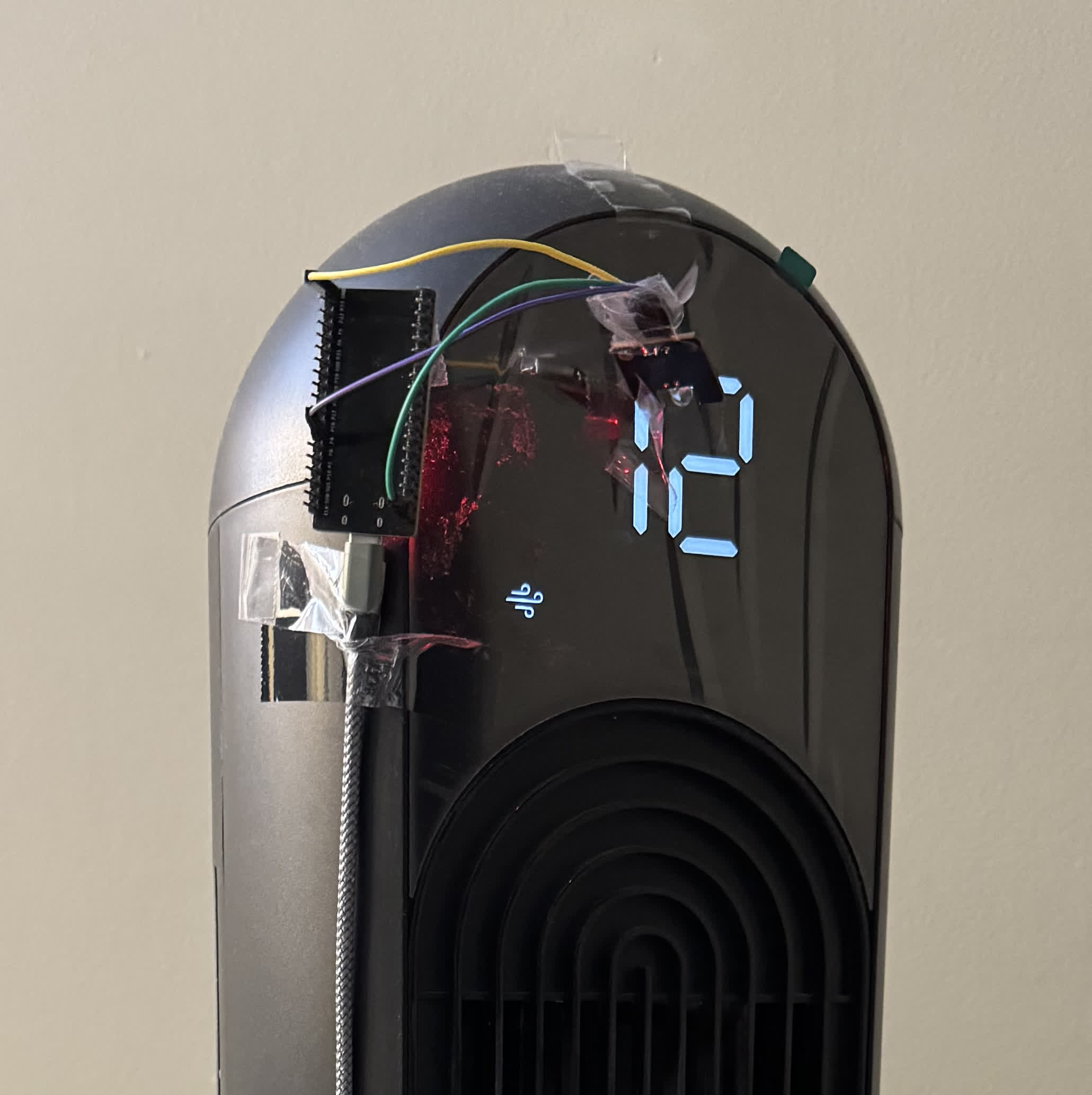
It consists of a microcontroller (an ESP32) that sits on the appliance you want to control. The microcontroller, being Wi-Fi enabled, communicates to a server wirelessly. This means that you can control that appliance from anywhere in the house, as long as you are connected to the Wi-Fi network. In theory, if you put the server on the Internet, you will be able to control your appliances from anywhere in the world.
The microcontroller has two things connected to it:
- an IR sender,
- and an IR receiver.
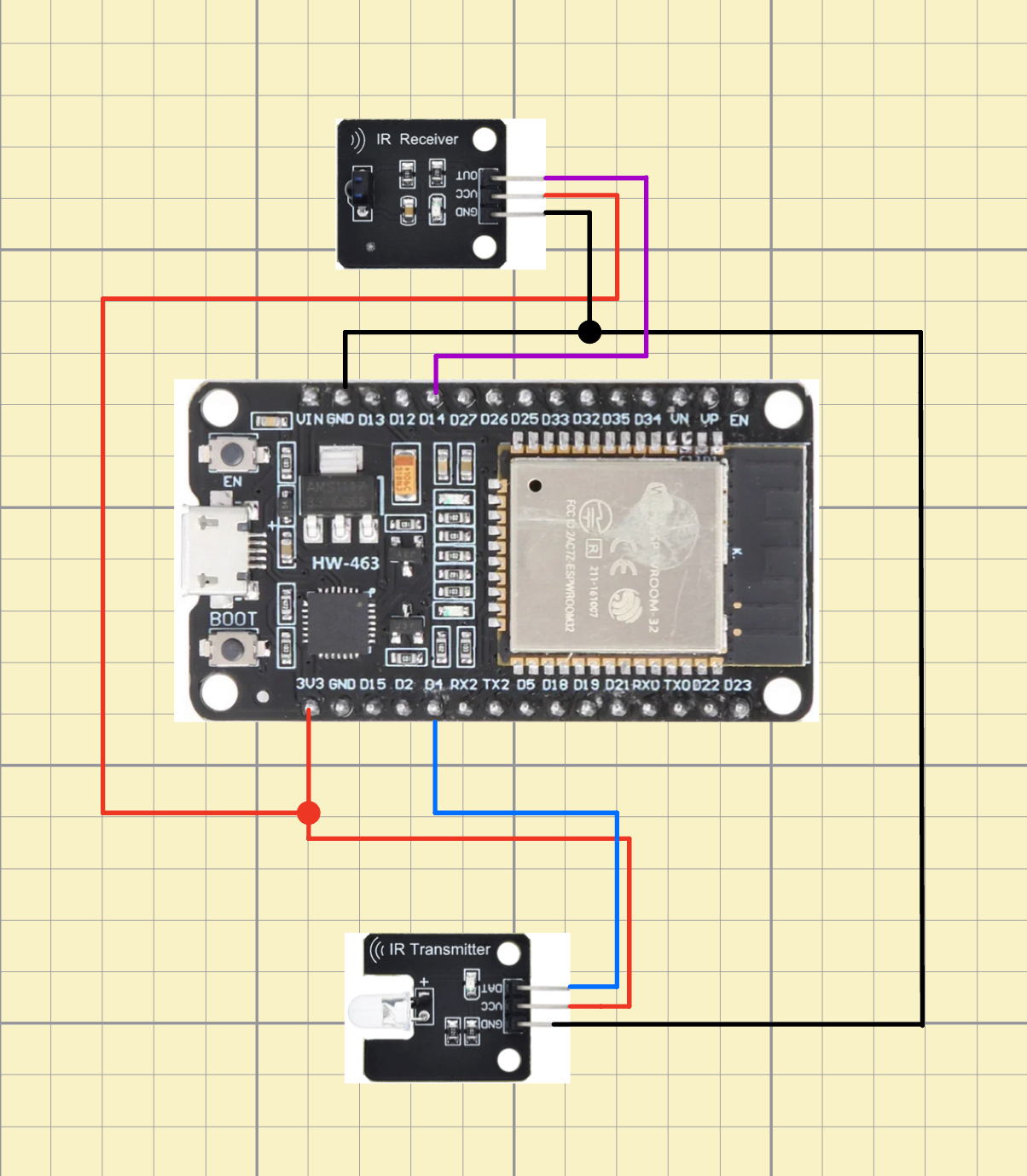
The IR sender points directly to the receiver on the appliance.
The microcontroller’s IR receiver is only used initially, when you are setting up ReM with the appliance. You need it so that ReM can capture the signal associated with each button on the appliance’s remote control. Once the setup done, the IR receiver can be disconnected from the microcontroller.
The server
The server is powered by Node.js (and Express.js). I am using MongoDB as the database to store the “signal” associated with each button press for a given appliance.
The system can support multiple appliances and users at the same time. That is, many users can control more than one appliance concurrently. Each user has their own account and their appliances can only be controlled by them. The server also exposes an API each user could use to extend ReM’s functionality. Each appliance is given a key of length 32.
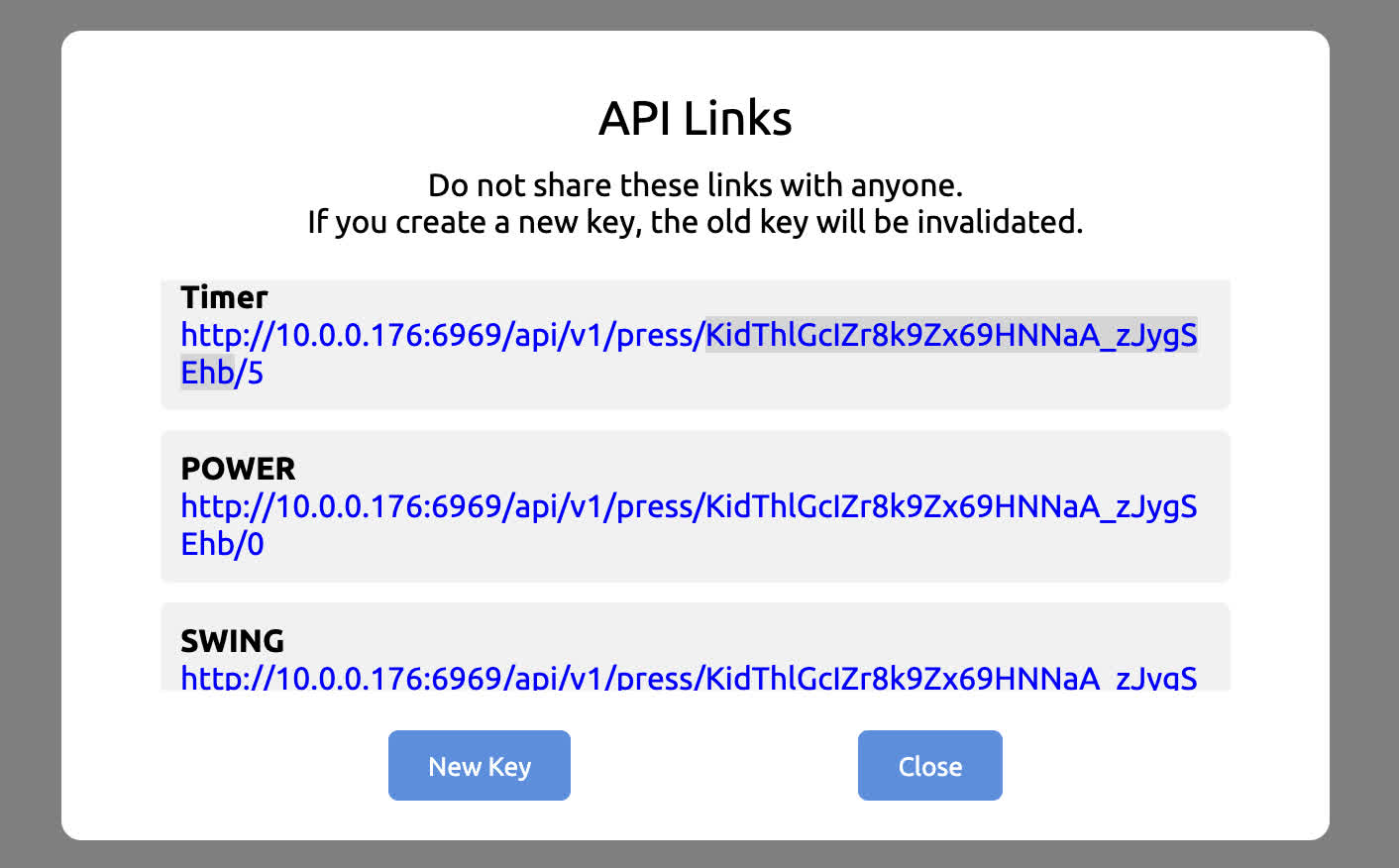
For example, if a POST request is made to POWER URL, the fan will turn on. It’s as if the POWER button was pressed on the real remote.
I use this with Siri to get it to make POST requests on certain voice commands. For instance when I say:
“Hey Siri, turn on fan.”
Siri will make POST request to the POWER URL. (You can see this in action in the very first video on this page.)
ReM also provides a UI, for a more traditional use. Since it’s web-based, you can access it from any screen: your phone, tablet, laptop… You name it!
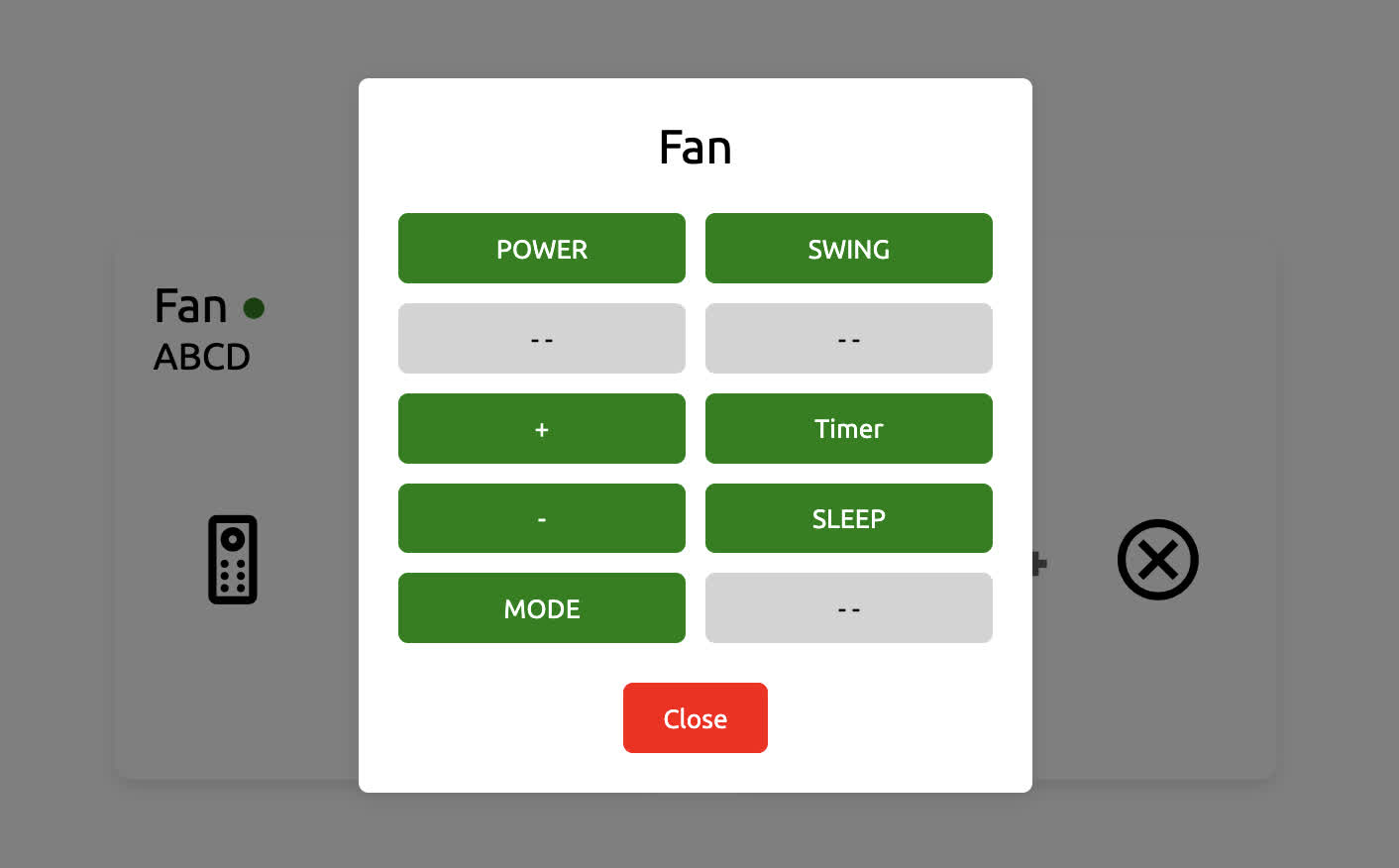
You can choose the position of each button when you first set up your appliance with ReM.
How does it exactly work?
(Assuming you are logged into your account or have the right key) When you press a button (be it on the virtual remote or you get your voice assistant to make a POST request), the request is made to the server.
The server puts that request in a queue. When it’s the request’s turn to be serviced, the server will lookup the signal associated with the button press in the database and then will send that signal to the microcontroller (sitting on the appliance). The latter then relays the signal to the appliance via the IR sender.
This all happens in a matter of milliseconds!
Problem solved!
Being able to use it hands-free is extremely convenient and solves my original problem.
I don’t even need to open my eyes to action the fan anymore, when I’m in bed. I can just yell at Siri to get it done. It’s also pretty handy when I’m working and I have my back turned on the fan.
Anything ReM can’t do?
Well, yes… ReM was created to solve a very specific problem of mine.
For instance, it only works with IR-controlled appliances. That’s already pretty good though. It should work with fans, AC units, heater etc… as these home appliances usually use IR for remote control.
ReM was also not meant to control a lot of appliances. It should work with a few per user-account. Theoretically, the sky is the limit but the system might strain your Wi-Fi network and service time might increase, the more appliances you add.
The microcontrollers have a heart beat mechanism that keeps the server in the loop about their state. This mechanism is implemented using HTTP methods. Not sockets!
I am only using it with my fan and space heater and I’ve been very satisfied with it. (I had this use case in mind when designing it.) I have been using ReM for about a year and a half now.
Can you use ReM?
Yes! ReM is free and open-source. You can find the source code and docs, here.
I built it to suit my needs. If yours are similar, you should be able to set it up quickly using the README and the docs in the repo. You will need at least an ESP32, an IR sender for each microcontroller, an IR receiver and a machine to be your server. 1 ESP32 = 1 Appliance.
You are also free to modify ReM to better suit it to your needs. But you know, the software is provided as is, and I’m not liable for anything that happens when you do use it.
Hopefully it makes your life a bit better as it did mine! :)